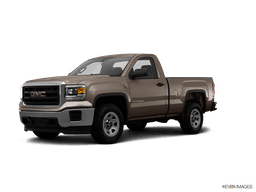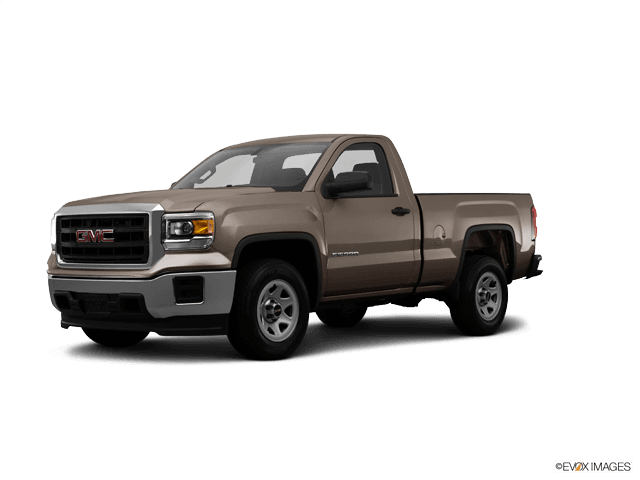















2014 GMC Sierra 1500 Power Steering Pump Replacement? Fix EPS by Replacing the Steering Gear
Step-by-step EPS troubleshooting and steering rack replacement guide with tools, parts list, safety tips, and scan-tool calibration info
2014 GMC Sierra 1500 Power Steering Pump Replacement? Fix EPS by Replacing the Steering Gear
Step-by-step EPS troubleshooting and steering rack replacement guide with tools, parts list, safety tips, and scan-tool calibration info


🔧 Sierra 1500 - Power Steering “Pump” Replacement (System Check + Correct Repair)
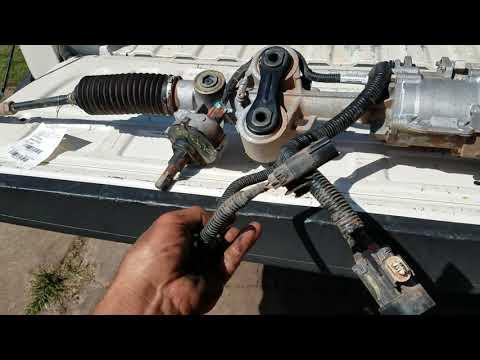
Your Sierra 1500 uses Electric Power Steering (EPS) (an electric assist motor on the steering gear). That means there is no hydraulic power steering pump, no fluid reservoir, and no power steering hoses to replace like older trucks.
If you’re chasing a whine, hard steering, or a “Service Power Steering” message, the repair is usually diagnosis of the EPS system or replacement of the steering gear (EPS rack)—not a pump.
Difficulty Level: Advanced | Estimated Time: 3-6 hours
⚠️ Safety & Precautions
- ⚠️ Disconnect the battery before unplugging EPS connectors to prevent module damage.
- ⚠️ Keep the steering wheel centered and do not rotate it with the intermediate shaft disconnected (can damage the SIR/airbag clock spring).
- ⚠️ Support the truck with jack stands; never work under a truck supported only by a jack.
- ⚠️ After replacement, an alignment is required—driving without it can be unsafe.
🔧 Required Tools
You'll need the following tools for this repair:
- Floor jack (rated 3-ton minimum)
- Jack stands (rated 3-ton minimum)
- Wheel chocks
- Safety glasses
- Mechanic gloves
- Metric socket set (8mm-24mm)
- 1/2" drive breaker bar
- 1/2" drive torque wrench
- Ratchet (3/8" drive)
- Extensions (3/8" drive)
- Wrench set (metric 8mm-24mm)
- Trim clip removal tool
- Pry bar
- Tie-rod end puller (specialty)
- Paint marker
- Scan tool with GM EPS functions (specialty)
🔩 Required Parts
HowToo sells all the parts you need for this repair:
- Steering gear (EPS) assembly - Qty: 1
- Outer tie rod end(s) - Qty: 2 Replace in pairs if worn
- Steering gear mounting bolts/fasteners - Qty: 1 set
- Intermediate steering shaft pinch bolt - Qty: 1
📋 Before You Begin
- Park on level ground, wheels straight, and set the parking brake.
- Chock the rear wheels using wheel chocks.
- Use a paint marker to mark the relationship between the intermediate shaft and the steering gear input (helps keep the wheel centered).
- Disconnect the negative battery cable using a 10mm socket, then wait at least 2 minutes before touching steering column/airbag-area components.
- Plan for a professional alignment after the job.
🔨 Step-by-Step Instructions
Follow these steps in order:
Step 1: Lift and secure the front end
- Use a floor jack (rated 3-ton minimum) to lift the front of your Sierra 1500.
- Place jack stands (rated 3-ton minimum) under the frame and lower onto them.
- Remove the front wheels using a lug socket (typically 22mm) and a breaker bar.
Step 2: Remove any shields/underbody panels blocking access
- Remove fasteners with a metric socket set (8mm-15mm) and a trim clip removal tool.
- Set shields and hardware aside in order.
Step 3: Disconnect the intermediate steering shaft from the steering gear
- Locate the intermediate shaft coupling at the steering gear input.
- Use a paint marker to add alignment marks if you haven’t already.
- Remove the pinch bolt using a metric socket and ratchet (3/8" drive).
- Slide the shaft off the steering gear input. Use a pry bar gently if needed.
- Do not spin the steering wheel.
Step 4: Disconnect outer tie rod ends from the steering knuckles
- Remove the tie rod end nut using a metric socket and breaker bar.
- Separate the joint using a tie-rod end puller (specialty) (this tool presses the joint apart without hammering).
- Count the exposed threads or measure the tie-rod length before removal to keep alignment close for the drive to the alignment shop.
Step 5: Unplug EPS electrical connectors
- Locate the EPS connectors on the steering gear.
- Release locks carefully and unplug by hand; use a trim clip removal tool only if needed.
- Inspect connectors for corrosion or bent pins.
Step 6: Remove the steering gear mounting bolts and remove the steering gear
- Support the steering gear with one hand (or a helper) while removing bolts.
- Remove steering gear mounting bolts using a metric socket, extensions (3/8" drive), and a breaker bar.
- Work the steering gear out through the opening. Use a pry bar gently as needed.
Step 7: Install the new steering gear
- Position the replacement steering gear in place by hand.
- Start mounting bolts by hand to avoid cross-threading.
- Tighten mounting bolts using a torque wrench: Torque to manufacturer specification.
Step 8: Reconnect intermediate shaft and tie rods
- Align your paint marks and slide the intermediate shaft back onto the steering gear input.
- Install the pinch bolt using a metric socket and tighten with a torque wrench: Torque to manufacturer specification.
- Install outer tie rod ends into the knuckles and tighten using a metric socket and torque wrench: Torque to manufacturer specification.
Step 9: Plug in EPS connectors and reinstall shields/wheels
- Reconnect EPS connectors until they fully lock in place.
- Reinstall shields using a metric socket set and any clips with a trim clip removal tool.
- Reinstall wheels and snug lug nuts using a lug socket and ratchet.
- Lower the truck with a floor jack, then torque lug nuts using a torque wrench: Torque to manufacturer specification.
Step 10: Battery reconnect and EPS setup/calibration
- Reconnect the negative battery cable using a 10mm socket.
- Use a scan tool with GM EPS functions (specialty) to clear codes and perform required EPS setup (commonly steering angle/center learn): Torque/angle learn procedures depend on scan tool prompts.
✅ After Repair
- Start the truck and confirm you have normal steering assist and no EPS warning messages.
- Turn lock-to-lock slowly while stopped and listen for clunks or rubbing.
- Road test carefully at low speed first, then normal speeds.
- Get a 4-wheel alignment as soon as possible.
- Re-scan with your scan tool for any EPS trouble codes after the road test.
💰 DIY vs Shop Cost
Shop Cost: $1,200-$2,500 (parts + labor)
DIY Cost: $700-$1,800 (parts only)
You Save: $500-$1,200 by doing it yourself!
Shop labor rates vary but typically run $100-$150/hour. This repair takes a shop approximately 3-6 hours.
🎯 Ready to get started?
HowToo makes it easy: same-day/2-day shipping on every part, plus all the tools and specialty tools you need! Check out the parts and tools sections below to add everything to your cart.