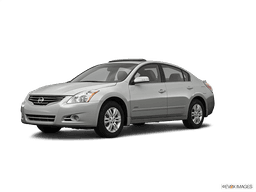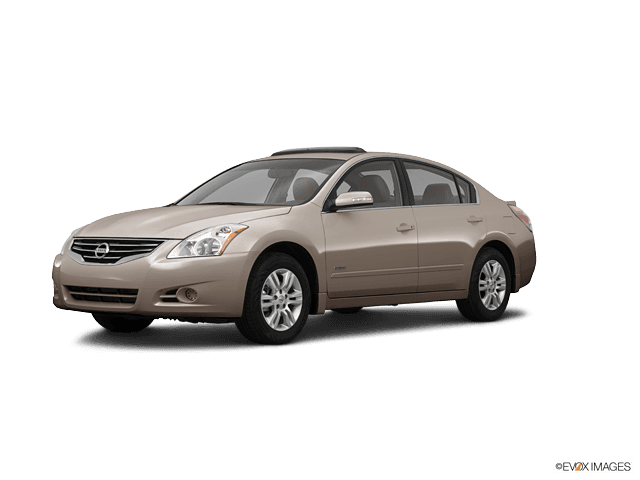














2007-2011 Nissan Altima Hybrid No-Start: Troubleshoot READY Mode & 12V Battery Issues (Engine: Inline 4 2.5L)
Step-by-step checks for battery voltage, terminals, fuses/relays, and OBD2 codes—plus safety tips
2007-2011 Nissan Altima Hybrid No-Start: Troubleshoot READY Mode & 12V Battery Issues (Engine: Inline 4 2.5L)
Step-by-step checks for battery voltage, terminals, fuses/relays, and OBD2 codes—plus safety tips for 2007, 2008, 2009, 2010, 2011


🔧 Altima - Starter Motor Replacement (Hybrid System Note)
On your Altima Hybrid, there is typically no conventional 12V starter motor like a normal gasoline Altima. The gasoline engine is usually spun/started by the hybrid motor-generator inside the transaxle, so “starter replacement” usually isn’t a serviceable, bolt-on job.
What you can do DIY is confirm whether the problem is the 12V supply, fuses/relays, or a hybrid control fault that prevents READY mode.
Difficulty Level: Intermediate | Estimated Time: 0.5-1.5 hours (basic checks)
⚠️ Safety & Precautions
- ⚡ High-voltage hybrid system can cause severe injury; do not open orange HV cables or hybrid components.
- 🔥 Keep hands/tools away from belts/fans when checking READY/engine start.
- 🔋 If you disconnect the 12V battery, you may lose radio presets; keep the trunk/doors open as needed.
- 🧯 If you smell burning/electrical odor, stop and don’t continue cranking/trying READY.
🔧 Required Tools
You'll need the following tools for this repair:
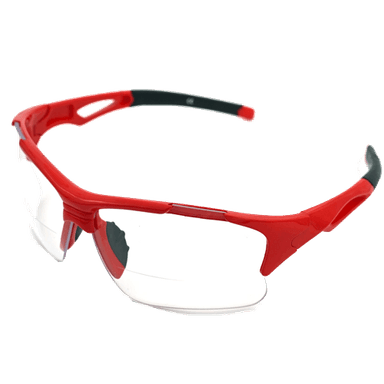
- Safety glasses
- Nitrile gloves
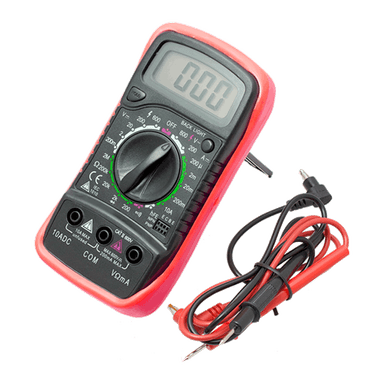
- Digital multimeter
- 10mm socket
- 3/8" drive ratchet
- 3/8" drive extension set
- Trim clip tool
- OBD2 scan tool capable of Nissan enhanced codes (specialty)
- Battery terminal brush
- Torque wrench 3/8" drive
🔩 Required Parts
HowToo sells all the parts you need for this repair:
- 12V auxiliary battery (correct group size for Altima Hybrid) - Qty: 1 (only if testing fails)
- Battery terminal anti-corrosion washers - Qty: 2
- Battery terminal cleaner spray - Qty: 1
- Replacement fuses (assorted low-profile/mini as equipped) - Qty: 1 kit
📋 Before You Begin
- Park on level ground, shift to P, and set the parking brake.
- Keep the key fob with you and away from the car when working near electrical connectors.
- Open the hood and make sure you have good lighting.
- If you will disconnect the 12V battery: use a 10mm socket and disconnect the negative (-) terminal first.
🔨 Step-by-Step Instructions
Follow these steps in order:
Step 1: Confirm the exact symptom (READY vs crank)
- Sit in the driver seat and press the brake pedal firmly.
- Press the Power/Start button and watch the dash.
- If the car goes to READY but the engine doesn’t start immediately, that can be normal (the hybrid may keep the engine off until needed).
- If you never get READY, or you get “no response/clicking,” continue to Step 2.
Step 2: Check 12V battery voltage (most common cause)
- Use a digital multimeter on DC volts.
- Measure voltage at the 12V battery terminals with the car OFF.
- If it’s below about 12.2V, the battery may be too weak to boot the hybrid system.
- Low 12V = hybrid won’t go READY.
Step 3: Clean and tighten the battery terminals
- Use a 10mm socket to loosen the negative (-) terminal and remove it.
- Use a battery terminal brush to clean the post and clamp until shiny.
- Reinstall the negative terminal and tighten with a 10mm socket (snug; do not overtighten).
Step 4: Check the main fuse/relay boxes for a blown fuse
- Open the under-hood fuse/relay box (usually near the battery area).
- Use a trim clip tool to help lift clips if needed.
- Visually check for any clearly blown fuses.
- If your multimeter has continuity mode, use the digital multimeter to confirm suspect fuses.
Step 5: Scan for hybrid and power management codes
- Plug in an OBD2 scan tool capable of Nissan enhanced codes (specialty).
- Read codes from all available modules (engine/hybrid control).
- Write down the exact code numbers (example format: P0xxx, P1xxx) and brief descriptions.
- If you have codes, don’t replace parts yet—codes determine the correct next step.
Step 6: If 12V fails testing, replace the 12V battery
- Use a 10mm socket to disconnect the negative (-) terminal first, then the positive (+) terminal.
- Use a 3/8" drive ratchet, extension set, and appropriate socket to remove the hold-down hardware.
- Swap in the new 12V auxiliary battery, reinstall the hold-down, then connect positive (+) first, negative (-) last.
- Use a torque wrench 3/8" drive if your battery hold-down has a specified torque on the label; otherwise tighten firmly without stripping.
Step 7: Re-test READY mode
- Start the car again: brake pedal pressed, press Power/Start.
- Confirm the dash shows READY.
- If READY appears, the “starter” concern was likely 12V power/connection related.
✅ After Repair
- Verify the car reliably goes to READY multiple times.
- Re-scan with your OBD2 scan tool and confirm which codes return (if any).
- Check that headlights, wipers, and HVAC work normally (a weak 12V can cause odd behavior).
- If it still won’t go READY and codes point to hybrid components, plan for dealership-level diagnosis (high-voltage system).
💰 DIY vs Shop Cost
Shop Cost: $150-$450 (diagnosis + 12V battery/terminals/fuses, if that’s the issue)
DIY Cost: $0-$250 (battery/cleaners/fuses)
You Save: $150-$200 by doing it yourself!
Shop labor rates vary but typically run $100-$150/hour. This check takes a shop approximately 0.5-1.0 hours.
🎯 Ready to get started?
HowToo makes it easy: same-day/2-day shipping on every part, plus all the tools and specialty tools you need! Check out the parts and tools sections below to add everything to your cart.
Quick questions (so I can guide the exact next step):
- 🔎 When you press Start, do you get READY on the dash, or not?
- 🔎 Do you hear any clicking from under the hood, and do the dash lights dim a lot?
Guide for Vehicle Battery replace for these Nissan vehicles
| Year Make Model | Sub Model | Engine | Body Style |
|---|---|---|---|
| 2011 Nissan Altima | - | Inline 4 2.5L | - |
| 2010 Nissan Altima | - | Inline 4 2.5L | - |
| 2009 Nissan Altima | - | Inline 4 2.5L | - |
| 2008 Nissan Altima | - | Inline 4 2.5L | - |
| 2007 Nissan Altima | - | Inline 4 2.5L | - |