















How to Replace the 12V Battery on a 2010-2019 Subaru Outback (Engine: Flat 6 3.6L)
Step-by-step DIY guide with tools, parts, torque specs, safety tips, and reset steps for 2010, 2011, 2012, 2013, 2014, 2015, 2016, 2017, 2018, 2019
How to Replace the 12V Battery on a 2010-2019 Subaru Outback (Engine: Flat 6 3.6L)
Step-by-step DIY guide with tools, parts, torque specs, safety tips, and reset steps for 2010, 2011, 2012, 2013, 2014, 2015, 2016, 2017, 2018, 2019


🔧 Outback - 12V Battery Replacement
Changing the battery on your Outback is a beginner-friendly job. The 12V battery sits under the hood and is replaced by disconnecting the terminals, removing the hold-down bracket, lifting the old battery out, and installing the new one.
Difficulty Level: Beginner | Estimated Time: 20-40 minutes
⚠️ Safety & Precautions
- ⚠️ Wear safety glasses and gloves because batteries contain acid and can spark if handled incorrectly.
- ⚠️ Always disconnect the negative terminal first and reconnect it last. This lowers the chance of an accidental short circuit.
- ⚠️ Do not let a wrench touch both battery terminals or the positive terminal and body metal at the same time.
- ⚠️ The battery is heavy. Lift straight up with both hands and keep it level.
- ⚠️ Battery disconnect may erase clock, radio presets, automatic window memory, and some learned idle settings.
🔧 Required Tools
You'll need the following tools for this repair:
- 10mm socket
- 3/8-inch ratchet
- 6-inch extension
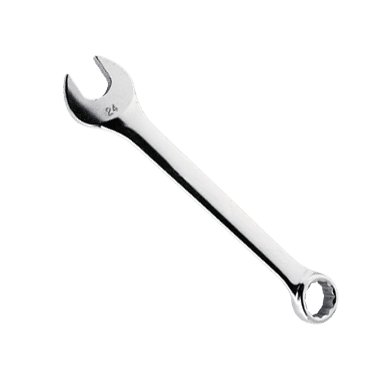
- 10mm wrench
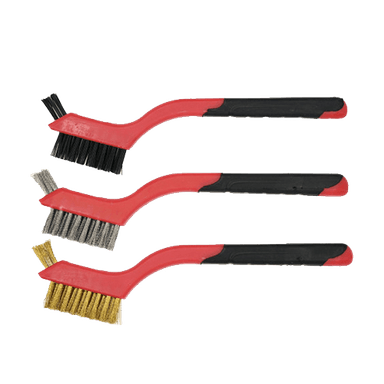
- Battery terminal cleaning brush
- Battery terminal puller (specialty)
- Torque wrench inch-pound range
- Memory saver 12V OBD-II adapter (optional specialty)
- Safety glasses
- Nitrile gloves
🔩 Required Parts
HowToo sells all the parts you need for this repair:
- 12V battery, Group 25 or compatible AGM/flooded replacement - Qty: 1
- Battery terminal anti-corrosion protectant - Qty: 1
- Battery terminal felt washers - Qty: 2
📋 Before You Begin
- 🅿️ Park your Outback on level ground, shift to Park, and set the parking brake.
- 🔑 Turn the ignition off and remove the key fob from the vehicle.
- ⏱️ Wait at least 3 minutes before disconnecting the battery so control modules can go to sleep.
- 💾 If using a memory saver, plug the memory saver 12V OBD-II adapter into the OBD-II port under the driver side dash before disconnecting the battery. A memory saver supplies low power so settings are not lost.
- 📸 Take a quick photo of the old battery orientation before removal so the positive and negative posts go back in the same position.
🔨 Step-by-Step Instructions
Follow these steps in order:
Step 1: Open the Hood and Locate the Battery
- Use your hands to release the hood latch, then support the hood securely.
- The battery is in the engine bay near the front corner on the passenger side.
- Identify the negative terminal marked - and the positive terminal marked +.
- Take a photo first.
Step 2: Disconnect the Negative Terminal
- Use a 10mm wrench or 10mm socket with 3/8-inch ratchet to loosen the nut on the negative battery terminal clamp.
- Twist the clamp gently and lift it off the battery post.
- Move the negative cable aside so it cannot spring back and touch the post.
- If the clamp is stuck, use a battery terminal puller. A terminal puller gently lifts the clamp without damaging the battery post.
Step 3: Disconnect the Positive Terminal
- Lift the red protective cover from the positive terminal by hand.
- Use a 10mm wrench or 10mm socket with 3/8-inch ratchet to loosen the positive terminal clamp nut.
- Lift the positive clamp off the battery post and move it aside carefully.
- Do not let the positive cable touch body metal.
Step 4: Remove the Battery Hold-Down Bracket
- Use a 10mm socket, 6-inch extension, and 3/8-inch ratchet to loosen the two hold-down nuts on the top battery bracket.
- Remove the upper hold-down bracket by hand.
- Keep the J-hooks upright if possible. J-hooks are the long hooked rods that clamp the battery down.
Step 5: Remove the Old Battery
- Use both hands to lift the battery straight up and out of the tray.
- Keep the battery level to avoid acid leakage.
- Place the old battery on cardboard or a stable surface, not directly on painted bodywork.
- Lift with your legs.
Step 6: Clean the Battery Cable Ends and Tray
- Use a battery terminal cleaning brush to clean the inside of both cable clamps until the metal looks bright.
- Use the same battery terminal cleaning brush to clean any corrosion from the battery tray area.
- If corrosion is heavy, wear nitrile gloves and avoid touching residue with bare hands.
Step 7: Install the New Battery
- Use both hands to lower the new 12V battery into the tray.
- Match the battery post orientation to your photo: positive cable to positive post, negative cable to negative post.
- Make sure the battery sits flat in the tray and does not rock.
Step 8: Reinstall the Hold-Down Bracket
- Place the hold-down bracket over the battery by hand.
- Use a 10mm socket, 6-inch extension, and 3/8-inch ratchet to tighten the hold-down nuts evenly.
- Use a torque wrench inch-pound range for final tightening if available.
- Torque to 4.5-6 Nm (40-53 in-lbs)
- Do not overtighten. The bracket only needs to hold the battery firmly.
Step 9: Connect the Positive Terminal First
- Install one battery terminal felt washer over the positive battery post.
- Push the positive cable clamp fully down onto the positive post.
- Use a 10mm wrench or 10mm socket with 3/8-inch ratchet to tighten the clamp nut.
- Use a torque wrench inch-pound range for final tightening if available.
- Torque to 5-6 Nm (44-53 in-lbs)
- Close the red protective cover over the positive terminal.
Step 10: Connect the Negative Terminal Last
- Install one battery terminal felt washer over the negative battery post.
- Push the negative cable clamp fully down onto the negative post.
- Use a 10mm wrench or 10mm socket with 3/8-inch ratchet to tighten the clamp nut.
- Use a torque wrench inch-pound range for final tightening if available.
- Torque to 5-6 Nm (44-53 in-lbs)
Step 11: Protect the Terminals
- Apply battery terminal anti-corrosion protectant lightly to both terminal connections.
- Use only a thin coating. Too much can make future inspection messy.
Step 12: Confirm the Battery Is Secure
- Use both hands to gently try to move the battery.
- It should not slide or tip in the tray.
- If it moves, use the 10mm socket, 6-inch extension, and 3/8-inch ratchet to snug the hold-down bracket slightly more.
✅ After Repair
- ✅ Start your Outback and confirm the engine cranks normally.
- ✅ Check that the battery warning light turns off after the engine starts.
- ✅ Reset the clock and radio presets if they were lost.
- ✅ Initialize the power windows if auto-up/down stops working: fully lower the window, then fully raise it and hold the switch up for about 1 second.
- ✅ Let the engine idle for a few minutes if idle feels uneven. The computer may relearn after power loss.
- ♻️ Return the old battery to a parts store or recycling center. Do not throw it in household trash.
💰 DIY vs Shop Cost
Shop Cost: $220-$380 (parts + labor)
DIY Cost: $150-$260 (parts only)
You Save: $70-$120 by doing it yourself!
Shop labor rates vary but typically run $100-$150/hour. This repair takes a shop approximately 0.3-0.6 hours.
🎯 Ready to get started?
HowToo makes it easy: same-day/2-day shipping on every part, plus all the tools and specialty tools you need! Check out the parts and tools sections below to add everything to your cart.