













How to Replace Rear Brake Pads and Rotors on a 2018 Dodge Durango
Step-by-step DIY rear brake job with tools, parts list, torque specs, and safety tips for your 2018 Durango
How to Replace Rear Brake Pads and Rotors on a 2018 Dodge Durango
Step-by-step DIY rear brake job with tools, parts list, torque specs, and safety tips for your 2018 Durango


For the rear brake job on your Durango, are you planning to replace pads only or pads and rotors together?
Also, does your Durango have a small electronic parking brake switch on the center console, or a traditional foot pedal/lever parking brake? This changes the exact steps.
🔧 Durango - Rear Brake Pads & Rotors Replacement
You’ll be replacing the rear brake pads and rotors on your Durango, which restores stopping power and prevents vibration and grinding. This guide walks you through safely lifting the vehicle, removing the calipers and rotors, and reinstalling everything with correct torque.
Difficulty Level: Intermediate | Estimated Time: 2–3 hours
⚠️ Safety & Precautions
- 🛑 Always support the Durango with jack stands; never work under a vehicle supported only by a jack.
- 🛑 Wear safety glasses and mechanic gloves; rust, brake dust, and sharp edges are common.
- 🛑 Do one side at a time so you can look at the other side as a reference.
- 🛑 Do not press the brake pedal with the caliper removed; you can push the piston out.
- 🛑 If you have an electronic parking brake, it must be placed in service mode with a scan tool before pushing caliper pistons in.
- 🛑 Parking brake will be OFF during this job. Chock the front wheels so the Durango cannot roll.
- 🛑 Brake cleaner is flammable and irritating. Use in a well-ventilated area and keep away from flames.
🔧 Required Tools
You'll need the following tools for this repair:
- 🧰 Floor jack (rated 3-ton minimum)
- 🧰 Jack stands (rated 3-ton minimum, Qty: 2–4)
- 🧰 Wheel chocks
- 🧰 21mm socket
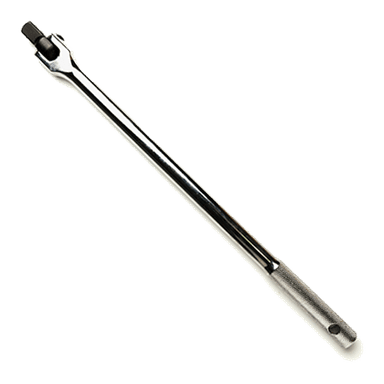
- 🧰 1/2" drive breaker bar
- 🧰 1/2" drive torque wrench (up to 150 ft-lbs)
- 🧰 3/8" drive ratchet
- 🧰 13mm socket
- 🧰 18mm socket
- 🧰 Flathead screwdriver (medium)
- 🧰 C-clamp (6" or larger) or disc brake piston compressor tool
- 🧰 Wire brush (steel)
- 🧰 Bungee cord or mechanics wire
- 🧰 Rubber mallet or dead blow hammer
- 🧰 Brake cleaner spray
- 🧰 Shop rags
- 🧰 Small wire pick or dental pick
- 🧰 6" extension (3/8" or 1/2" drive)
- 🧰 Impact wrench (battery or pneumatic, optional)
- 🧰 OBD scan tool with electronic parking brake service mode (specialty, only if equipped with EPB)
- 🧰 Safety glasses
- 🧰 Mechanic gloves
🔩 Required Parts
HowToo sells all the parts you need for this repair:
- 🛞 Rear brake pad set - Qty: 1 (serves both rear wheels)
- 🛞 Rear brake rotors - Qty: 2 (replace in pairs)
- 🛞 Rear brake pad hardware kit (abutment clips / anti-rattle clips) - Qty: 1
- 🛞 Brake lubricant (high-temp synthetic) - Qty: 1 small tube
- 🛞 Brake cleaner - Qty: 1–2 cans
- 🛞 New caliper bracket bolts - Qty: 4 (recommended, torque-to-yield on many FCA applications)
- 🛞 New caliper slide pin boots - Qty: 4 (optional but recommended if damaged)
📋 Before You Begin
- 🚗 Park the Durango on level ground, shift to PARK, and set the parking brake for now (you’ll release it later).
- 🧱 Place wheel chocks in front of and behind at least one front tire.
- 🔌 You do not need to disconnect the battery unless using power tools near wiring. If you have an electronic parking brake, follow the scan tool instructions below.
- If equipped with electronic parking brake:
- Connect your OBD scan tool.
- Use the menu: Service > Brakes > Electronic Parking Brake > Service / Maintenance Mode.
- Follow on-screen instructions to retract the rear calipers.
- Lay out tools and parts on a clean surface so you can reach them easily. Good setup saves time and stress.
🔨 Step-by-Step Instructions
Follow these steps in order:
Step 1: Loosen Rear Wheel Lug Nuts
- With the Durango still on the ground, use the 21mm socket and breaker bar to crack loose each rear wheel lug nut about one turn. Do not remove them yet.
- Loosening on the ground prevents the wheel from spinning.
Step 2: Lift and Support the Rear of the Durango
- Release the parking brake now so the rear rotors can come off later.
- Position the floor jack under the rear center jacking point or solid rear frame crossmember (consult owner’s manual diagram).
- Raise the rear until both wheels are off the ground.
- Place jack stands under the rear frame or approved jacking points on both sides.
- Lower the Durango gently onto the jack stands and leave the floor jack lightly touching as a backup.
Step 3: Remove Rear Wheels
- Use the 21mm socket and ratchet or impact wrench to remove the loosened lug nuts.
- Pull the wheels straight off and set them aside.
Step 4: Inspect the Setup and Locate Caliper Bolts
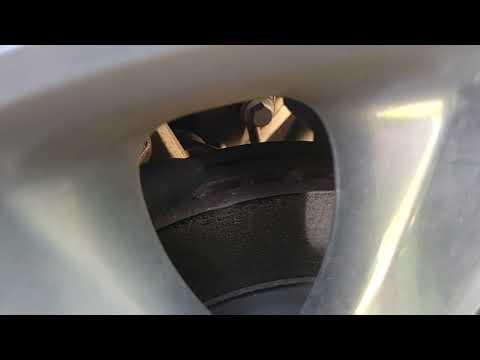
- You’ll see the caliper (small “clamp”) over the rotor (large disc), mounted to a larger caliper bracket.
- On the backside of the caliper you’ll find two slide pin bolts, usually with rubber boots at their ends. These will typically use a 13mm socket.
Step 5: Remove Rear Caliper (Pads Still Inside)
- Use the 13mm socket and 3/8" ratchet to remove the upper and lower caliper slide pin bolts.
- Carefully slide the caliper off the rotor. If it’s stuck, gently pry with a flathead screwdriver between the pad and rotor.
- Hang the caliper from the suspension spring using a bungee cord or mechanics wire. Do not let it hang by the rubber brake hose.
Step 6: Remove Old Brake Pads
- Slide the old pads out of the caliper bracket by hand.
- If they’re tight, use a flathead screwdriver to gently lever them out.
- Note how the pads and clips are oriented so you can match the new ones. Take a quick photo for reference.
Step 7: Remove Caliper Bracket
- Locate the two large caliper bracket bolts on the rear of the knuckle. These typically require an 18mm socket.
- Use the 18mm socket, breaker bar, and possibly a 6" extension to remove both bolts.
- Remove the caliper bracket and set it on a clean surface.
Step 8: Remove Rear Rotor
- If the rotor slides off easily, pull it straight off the hub.
- If it’s stuck due to rust:
- Spray the hub center and rotor-to-hub area with brake cleaner.
- Tap around the rotor hat (center area) with a rubber mallet until it loosens.
- On Durangos with drum-style parking brake inside the rotor, make sure the parking brake is fully released or the rotor will not come off.
Step 9: Clean Hub and Bracket
- Use a wire brush to scrub rust from the wheel hub surface where the rotor sits. A clean surface prevents rotor wobble.
- Spray lightly with brake cleaner and wipe with a shop rag.
- On the caliper bracket, remove the old metal pad clips (hardware) using your fingers or a flathead screwdriver.
- Clean pad contact areas on the bracket with a wire brush, then wipe with brake cleaner.
Step 10: Install New Rotors
- Spray the new rotors (both sides) with brake cleaner to remove the protective oil coating, then wipe dry.
- Slide the new rotor onto the hub, making sure it sits flush.
- You can temporarily hold it in place with a couple of lug nuts threaded on by hand.
Step 11: Install New Hardware on Caliper Bracket
- Snap the new pad clips (hardware kit) into the caliper bracket where the old ones were removed.
- Use a small wire pick to carefully pull back the slide pin boots and check pins for smooth movement.
- If pins are sticky, remove them, clean with brake cleaner, dry, and apply a thin coat of brake lubricant before reinstalling.
Step 12: Reinstall Caliper Bracket
- Position the caliper bracket over the new rotor and line up the bolt holes.
- Install the caliper bracket bolts by hand first to avoid cross-threading.
- Use the 18mm socket and ratchet to snug them down.
- Then use the torque wrench with the 18mm socket to tighten both bracket bolts to 125 Nm (92 ft-lbs).
Step 13: Install New Brake Pads
- Apply a very thin layer of brake lubricant to the metal “ears” of the new pads where they contact the hardware clips. Do not get any on the pad friction surface.
- Slide the inner and outer pads into the caliper bracket, matching the position of the old pads (inner pad usually has a wear indicator tab if equipped).
Step 14: Compress Caliper Piston
- Place an old brake pad against the caliper piston face for protection.
- Use a C-clamp or disc brake piston compressor tool between the caliper body and old pad to slowly push the piston back into the caliper.
- Go slowly and steadily to avoid damaging the seals.
- If you feel very high resistance and you have an electronic parking brake that wasn’t put into service mode, stop and place it into service mode with a scan tool.
Step 15: Reinstall Caliper Over New Pads
- Remove the C-clamp and old pad from the caliper.
- Position the caliper over the new pads and onto the caliper bracket.
- Line up the slide pin bolt holes and install the slide pin bolts by hand.
- Use the 13mm socket and ratchet to snug them down.
- Then use the torque wrench with the 13mm socket to tighten each slide pin bolt to 32 Nm (24 ft-lbs).
Step 16: Repeat on the Other Rear Side
- Repeat Steps 5–15 for the other rear wheel.
- Doing both sides keeps braking balanced.
Step 17: Reinstall Wheels
- Mount each wheel back on its hub.
- Thread all lug nuts on by hand to avoid cross-threading.
- Use the 21mm socket and ratchet to snug the lug nuts in a star pattern.
Step 18: Lower the Durango and Torque Lug Nuts
- Use the floor jack to raise the vehicle slightly, remove the jack stands, and lower the Durango to the ground.
- Use the torque wrench with the 21mm socket to tighten each lug nut in a star pattern to 176 Nm (130 ft-lbs).
Step 19: If Equipped with Electronic Parking Brake – Exit Service Mode
- Using your scan tool, go to: Service > Brakes > Electronic Parking Brake > Exit Service / Maintenance Mode.
- Confirm the parking brake operates normally (engage and release) without noises.
Step 20: Pump the Brake Pedal
- Before driving, sit in the driver’s seat and press the brake pedal slowly several times.
- The pedal will travel farther on the first few presses as the pads move out to contact the rotors.
- Continue until the pedal feels firm and consistent.
✅ After Repair
- 🧪 Start the engine and keep the Durango in PARK. Press the brake pedal firmly a few more times to confirm a solid pedal.
- 🧪 With the area clear, gently test the brakes at low speed (5–10 mph) in a parking lot. Listen for grinding or clunks.
- 🧪 For the first 200–300 miles, avoid hard panic stops unless necessary. This is the bed-in period for pads and rotors.
- 🧪 After a short drive, check the rear wheels for unusual heat difference (one side much hotter may indicate dragging brakes).
- 🧪 Recheck lug nut torque with the torque wrench after about 50–100 miles.
💰 DIY vs Shop Cost
Shop Cost: $450–$650 (parts + labor)
DIY Cost: $180–$280 (parts only, depending on pad/rotor quality)
You Save: About $270–$370 by doing it yourself!
Shop labor rates are typically $100–$150/hour, and this job usually bills at 1.5–2.0 hours for the rear axle.
🎯 Ready to get started?
HowToo makes it easy: same-day/2-day shipping on every part, plus all the tools and specialty tools you need! Check out the parts and tools sections above to add everything to your cart and get your Durango’s rear brakes done right.