









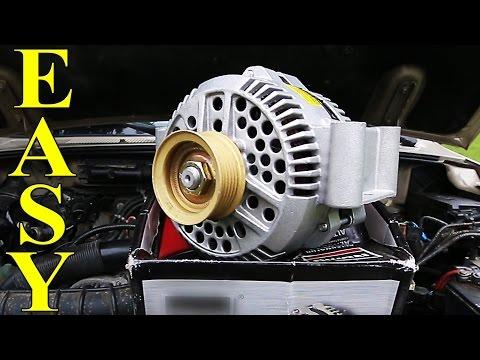




2019 Ford F-150 Alternator Replacement Guide: How to Remove and Install New Unit
2019 Ford F-150 Alternator Replacement Guide: How to Remove and Install New Unit


F-150 - Alternator Replacement 🔧
Got it—let’s swap the alternator on your Platinum with the 5.0L. I’ll walk you through safely. First, two quick checks so I can tailor the steps:
- 🔹 Do you have the standard 200‑amp alternator (most Platinum 5.0L) or the Heavy-Duty 240‑amp? If unsure, we can confirm by build data sticker on the alternator once accessible.
- 🔹 Is your truck equipped with Auto Start-Stop (it is on most 2019s)—we’ll follow battery management steps either way.
Overview ✅
The alternator sits front/left of the engine, driven by the serpentine belt. We’ll disconnect the battery, relieve belt tension, swap the alternator, and re-fit the belt. A serpentine belt is the long ribbed drive belt that spins accessories. A belt tensioner is a spring-loaded pulley that keeps that belt tight.
Parts & Specs 📦
- 🔹 Alternator: 5.0L Coyote (2019). Common ratings: 200 A or 240 A (Police/HD). Match by amperage and clocking; Platinum is typically 200 A.
- 🔹 New serpentine belt (optional but recommended): Match 5.0L w/ AC, 4WD. If your belt shows cracks/glazing, replace it.
- 🔹 Battery memory saver (optional): Keeps radio/seat memory. A memory saver is a small device that powers the truck through the OBD port while the battery is disconnected.
Tool List 🧰
- 🔹 1/2" drive ratchet or breaker bar (for the tensioner)
- 🔹 15 mm socket (belt tensioner hex)
- 🔹 10 mm socket (battery terminal)
- 🔹 13 mm and 15 mm sockets (alternator B+ nut and mounting bolts; some use E-Torx heads—have an E14 on hand)
- 🔹 Short and medium extensions
- 🔹 Torque wrench (10–80 ft-lb range)
- 🔹 Trim tool or flat plastic pry tool (to lift any wire retainers)
- 🔹 Safety glasses and gloves
Torque Specs (OEM) 📏
- 🔹 Alternator mounting bolts: 35 lb-ft (47 N·m)
- 🔹 B+ terminal nut (output stud): 89 lb-in (10 N·m) — inch-pounds
- 🔹 Electrical connector bracket/retainers: snug (hand tight; ~7 lb-ft if fastened)
- 🔹 Battery terminal clamp: 62 lb-in (7 N·m)
Safety First ⚠️
- 🔹 Always disconnect the negative battery cable first to avoid sparks.
- 🔹 The cooling fan can start with key off—keep hands clear.
- 🔹 Do not over-tighten the alternator output nut; you can crack the stud insulator.
Preparation 🧭
- 🔹 Park on level ground, set parking brake, hood up.
- 🔹 If using a memory saver, connect it now per its instructions.
- 🔹 Locate belt routing decal under the hood. If missing, take a quick photo of the belt path.
Removal Steps 🪛
- 🔹 Disconnect battery: Open the passenger-side battery box. Use a 10 mm to remove the negative (–) terminal and isolate it.
- 🔹 Relieve belt tension: Place a 15 mm socket on the tensioner hex. Rotate clockwise to unload the belt. Slip the belt off the alternator pulley only, then gently release the tensioner. Tip: Don’t pull the belt off all pulleys—less to re-route later.
- 🔹 Unplug wiring: Press the tab and remove the small regulator connector at the back of the alternator. Remove the rubber boot and use a 13 mm to undo the B+ nut; lift off the main cable. Move harness aside.
- 🔹 Remove alternator bolts: Remove the upper and lower mounting bolts (usually 15 mm heads; some trucks use E14 externals). Support the unit and lift it out. Tip: Rock it slightly to free from the bracket dowels.
Install Steps ✅
- 🔹 Position new alternator into the bracket. Start all bolts by hand to avoid cross-threading.
- 🔹 Tighten mounting bolts to 35 lb-ft in an even pattern.
- 🔹 Attach B+ cable, install nut to 89 lb-in, and refit the rubber boot. Plug in the regulator connector until it clicks.
- 🔹 Reinstall belt: Rotate tensioner clockwise and slip the belt back over the alternator pulley. Ensure ribs are seated in every pulley groove.
- 🔹 Reconnect battery: Install the negative cable and torque to 62 lb-in.
Post-Install Checks 🧪
- 🔹 Start the engine. Check for belt runout or chirp. No warning lights should remain after a few seconds.
- 🔹 Measure charging voltage at the battery with a multimeter: expect 13.5–14.8 V depending on load. The 5.0L uses smart charging, so voltage may vary—this is normal.
- 🔹 If the battery was weak, consider charging it fully. A low battery can stress the new alternator.
Smart Charging & Reset Notes 💡
- 🔹 Your truck uses Battery Monitoring System (BMS). If you replaced the battery recently, a scan tool can perform a BMS reset so charging adapts quickly. Alternator replacement alone does not require programming.
- 🔹 Auto Start‑Stop may be inhibited for a few drive cycles if the battery state of charge is low; it will return after charging.
When to Replace the Belt & Tensioner 🧷
- 🔹 Replace the belt if cracks, missing ribs, or glazing are present.
- 🔹 Replace the tensioner or idler pulley if the pulley wobbles or feels rough when spun by hand.
Common Pitfalls 🧯
- 🔹 Forgetting to reconnect the small regulator plug—causes no-charge and battery light.
- 🔹 Over-torquing the B+ nut—can damage the alternator.
- 🔹 Misrouted belt—double-check the path before starting.
Parts & Tools from HowToo 🛒
I’ll show you the correct alternator options (200 A vs 240 A), belt, tensioner, and the sockets/torque wrench below. You can add items to your cart from the parts section.
Want help confirming amperage or build options? 🤝
Tell me if your original alternator label shows 200A or 240A, or share a photo—I’ll pinpoint the exact part.
HowToo makes it easy: same-day/2-day shipping on every part, plus all the tools and specialty tools you need!